
Covers follow the window
Open a window and its cover goes all the way up. Close it again and the cover returns to where it was. If someone moved the cover in between, it stays where it is – even after a restart.
FreshAirIQ for Home Assistant
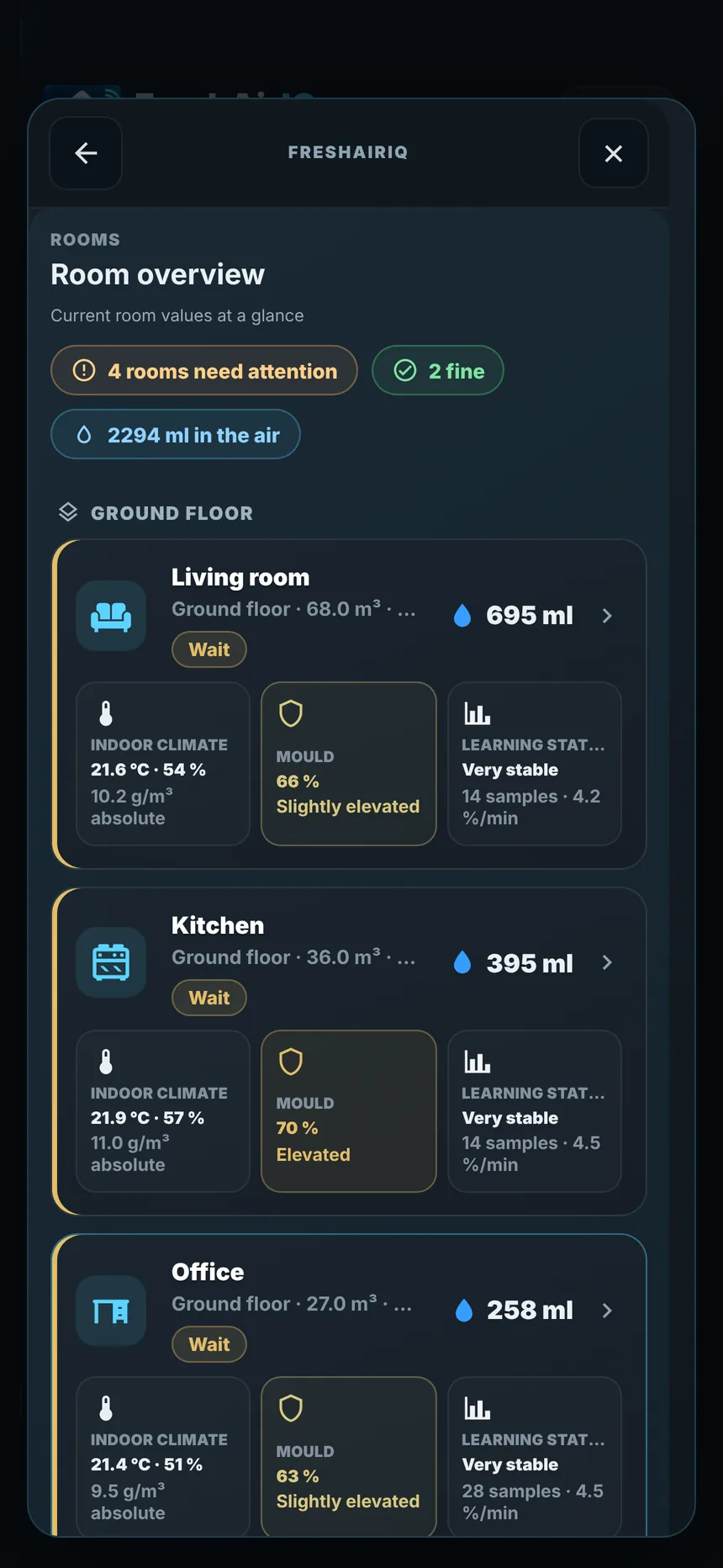
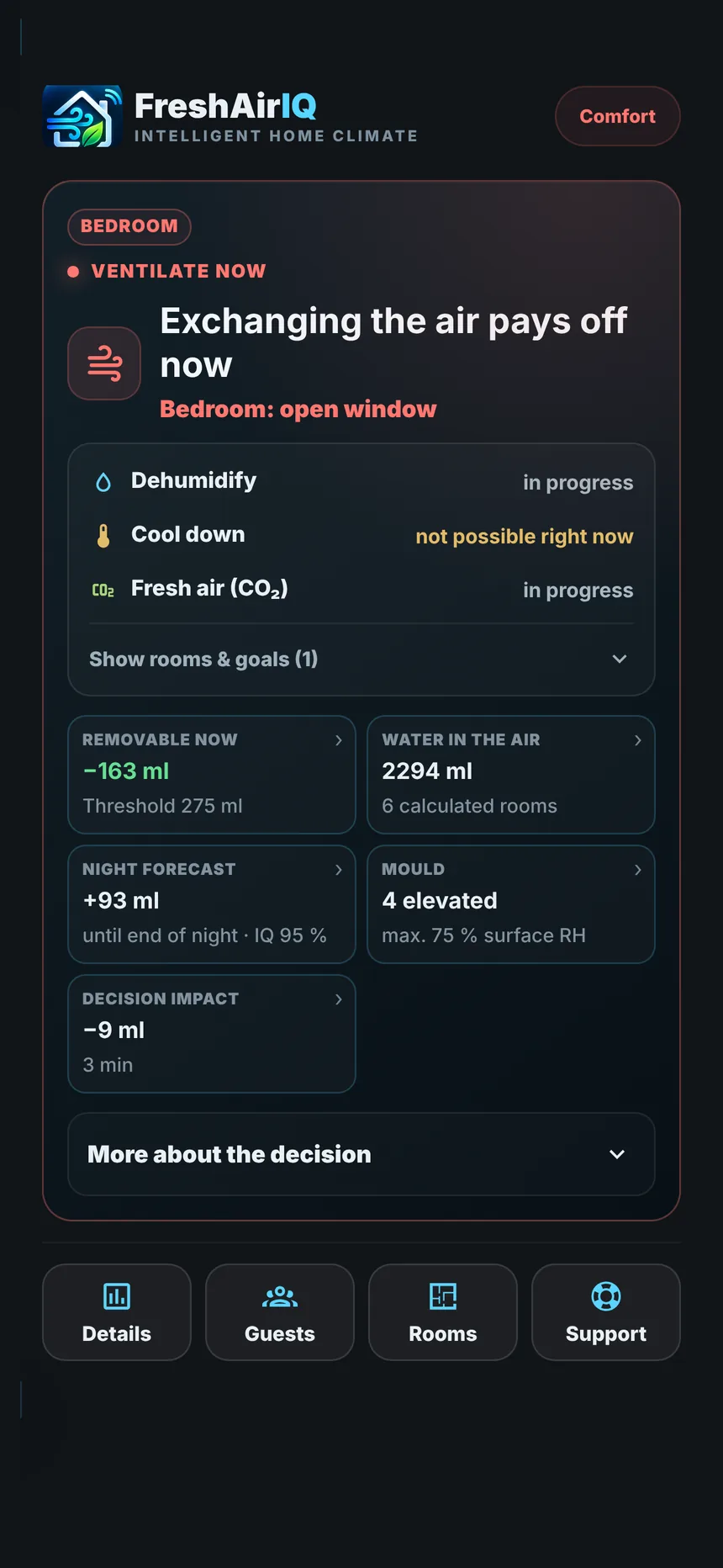
FreshAirIQ reads your room sensors, the weather and your windows – and tells you, room by room, when airing really dries the air, when to keep going and when to close. And it learns how your home behaves.
Physics, not a hunch
Relative humidity is misleading. Cold air holds far less water – so damp-looking autumn air can still dry your bathroom. FreshAirIQ compares what actually counts: absolute humidity, temperature and the volume of every room.
Meet Freshy
Freshy is FreshAirIQ’s mascot and lives in the IQ view of the dashboard. One look is enough: Freshy shows what is going on in your home right now – and reacts to it.









Every room
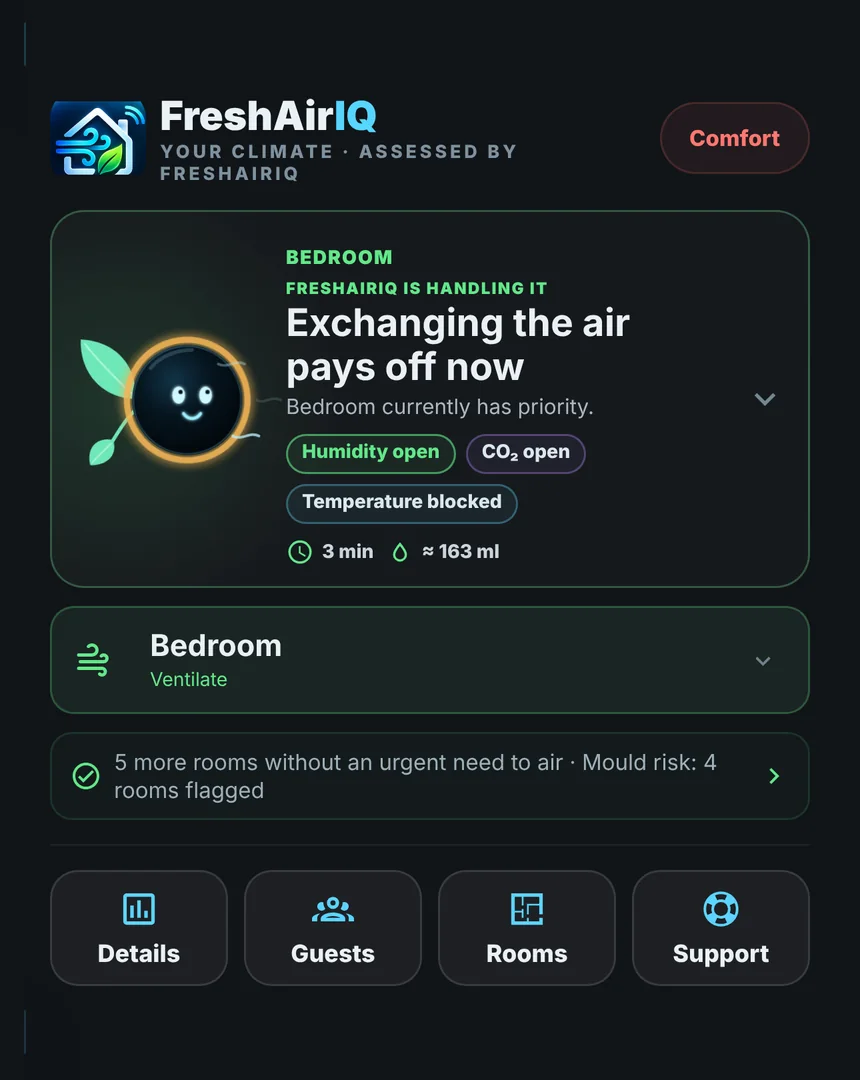
Room climate, mould risk, learning progress and the water in the air – for every room, grouped by floor. A summary shows at once which rooms need you.
Live airing
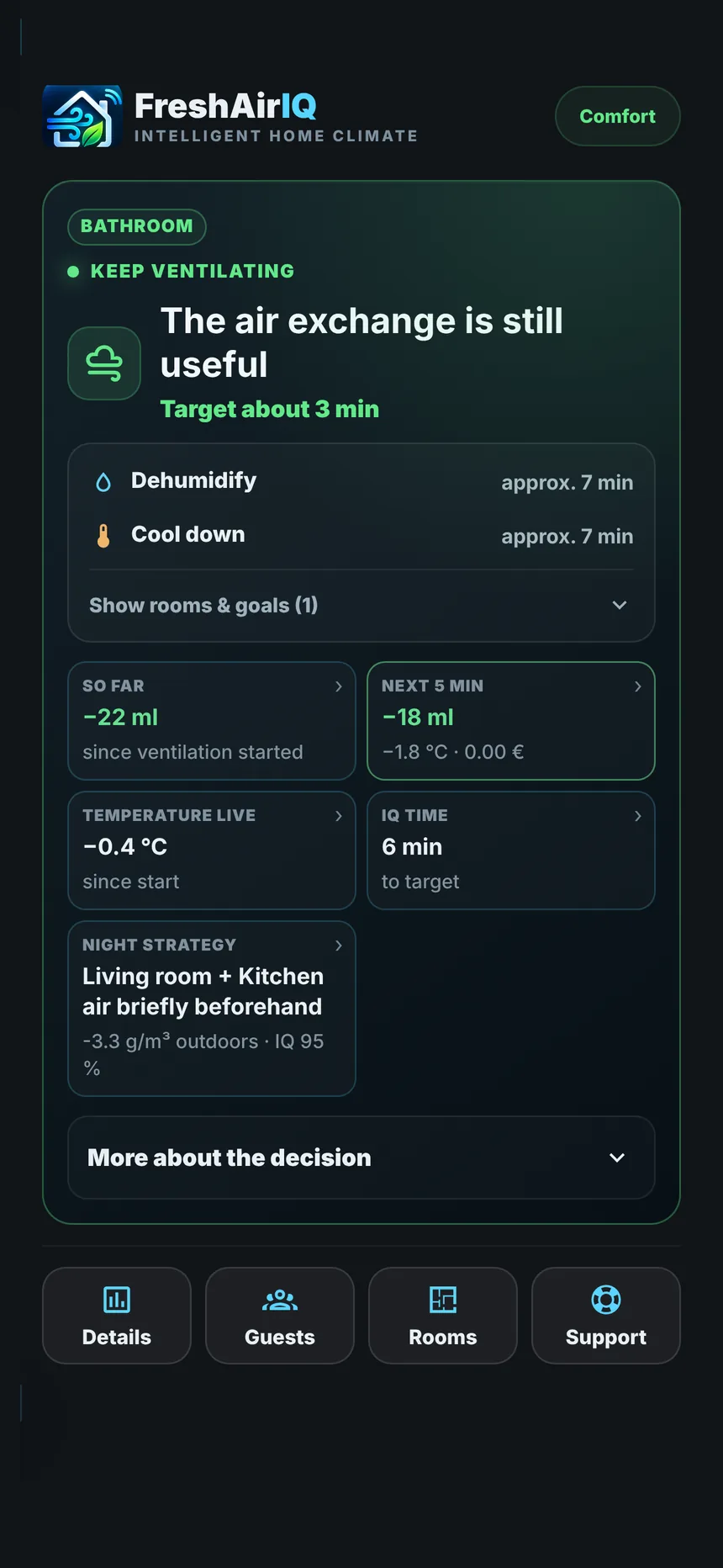
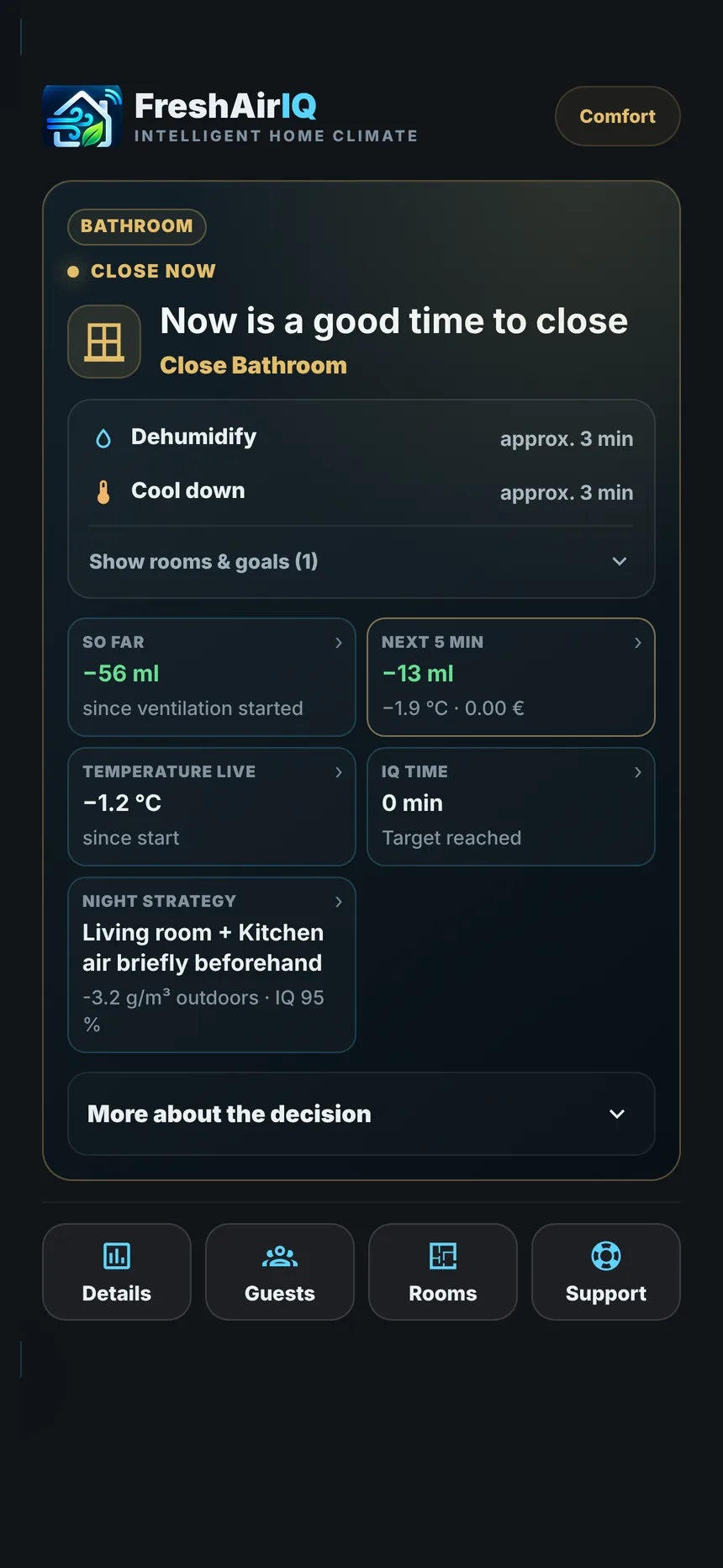
Open a window and FreshAirIQ follows the airing live: water removed so far, what the next five minutes would bring and how much heat you lose. As soon as the benefit is used up, it says close.
The heart of FreshAirIQ
Every house is different: thick walls, a small bathroom, a window into the wind. FreshAirIQ starts with solid building physics – and from then on learns from every airing how your rooms really behave.
Every airing is recorded: start values, duration, window, outdoor air and result.
Before and during airing, FreshAirIQ predicts how much water will leave the room.
The prediction is checked against what really happened – after the window is closed.
Sound results refine the model – an improvement only counts once it holds up on different days.
How fast each room exchanges air, how much moisture walls and furniture buffer and how your windows and fans work.
Corrects its live forecasts and tests alternative models in parallel before adopting them.
Daily routines such as showers, cooking and when you usually air.
Nights and seasons – slowly and only from genuinely different days.
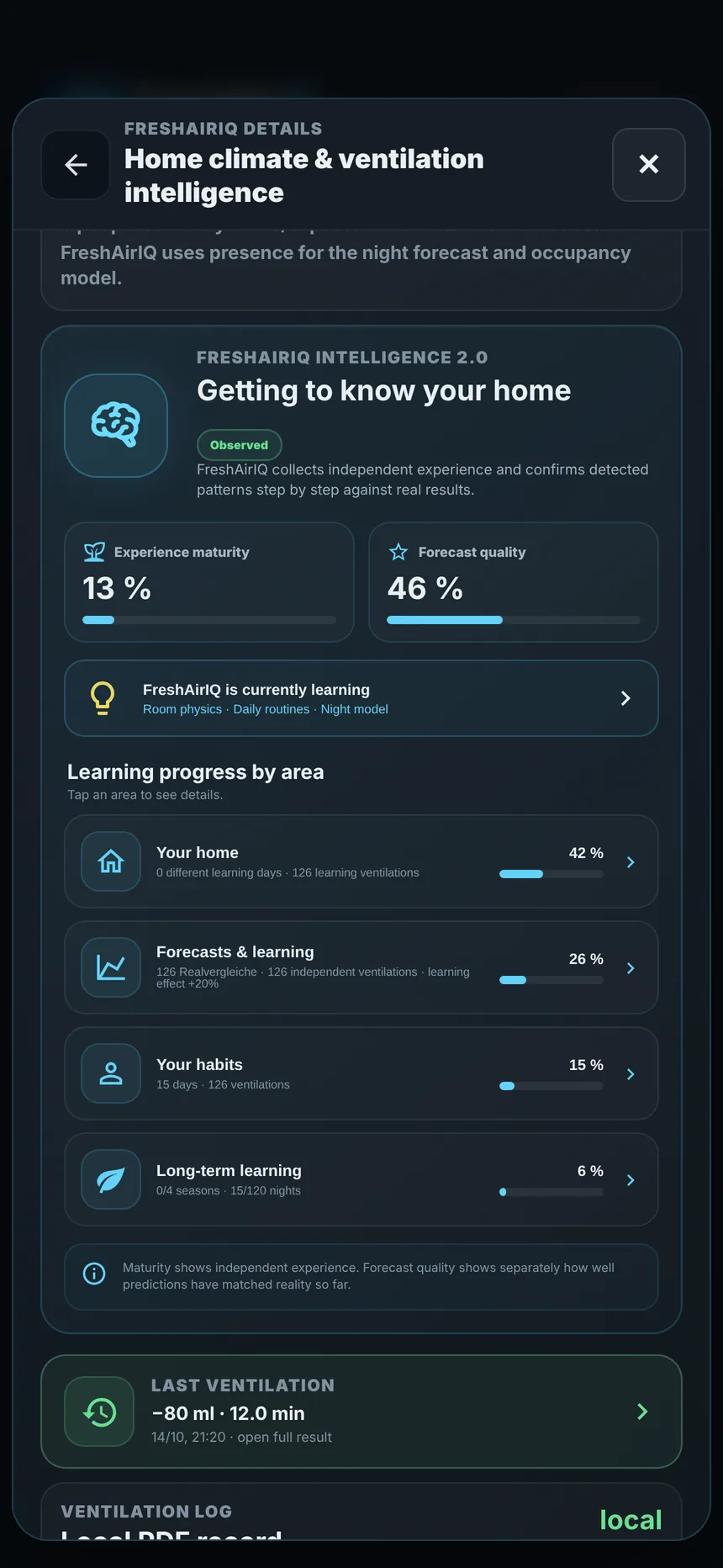
FreshAirIQ shows experience maturity and forecast quality separately. A large number of measurements alone does not make a good model – improvement has to be proven against a fixed baseline, across independent airings on different days.
Automatic control
FreshAirIQ advises – and if you want, it acts. Covers and exhaust fans can be controlled automatically while you air. Everything is off by default and is switched on per room and per window.
Open a window and its cover goes all the way up. Close it again and the cover returns to where it was. If someone moved the cover in between, it stays where it is – even after a restart.
For a balcony or terrace door marked as a passage, the cover never closes while the door is open. If a button or another automation tries, FreshAirIQ stops it and opens the cover again.
In summer cooling mode FreshAirIQ knows which window the sun is about to reach and closes its cover 15 minutes ahead on warm days. When the sun has left the window, it opens again.
After a shower or while cooking, the exhaust fan runs with a follow-up time – or it follows the airing recommendation while the windows are closed. A maximum runtime keeps it in check.
FreshAirIQ only switches off what it switched on itself. If you switch a fan off, it stays off until the reason is over. Windows are never moved.
Blueprints
Blueprints are automation templates for Home Assistant. You import one, pick your room and device in a form – and the automation is ready. No YAML required.
Alexa, a speaker or Telegram say “Bedroom: please close the window.” With quiet times and a choice of which recommendations to announce.
A fan or ventilation unit runs while FreshAirIQ recommends airing – and not while the window is open.
Runs only when a shower or cooking is detected, with follow-up time and maximum runtime. The evening airing advice does not trigger it.
Closes covers ahead of the sun on warm days and opens them when the sun has gone.
Prefer settings over automations? Covers and exhaust fans can also be controlled directly in the room settings – use one or the other for the same device.
Node-RED
FreshAirIQ publishes every change as a Home Assistant event with a ready-to-speak sentence. In Node-RED you pick it up with the nodes you already know.
freshairiq_room_action – fires when a room recommendation changes. Or freshairiq_notification for every message, including a ready sentence in speech.msg.payload.event.action: ventilate, close, okay …{
"room_name": "Bedroom",
"action": "ventilate",
"house_aligned_action": "ventilate",
"message": "Bedroom: Please air the room.",
"humidity": 58.4,
"ventilation_active": false
}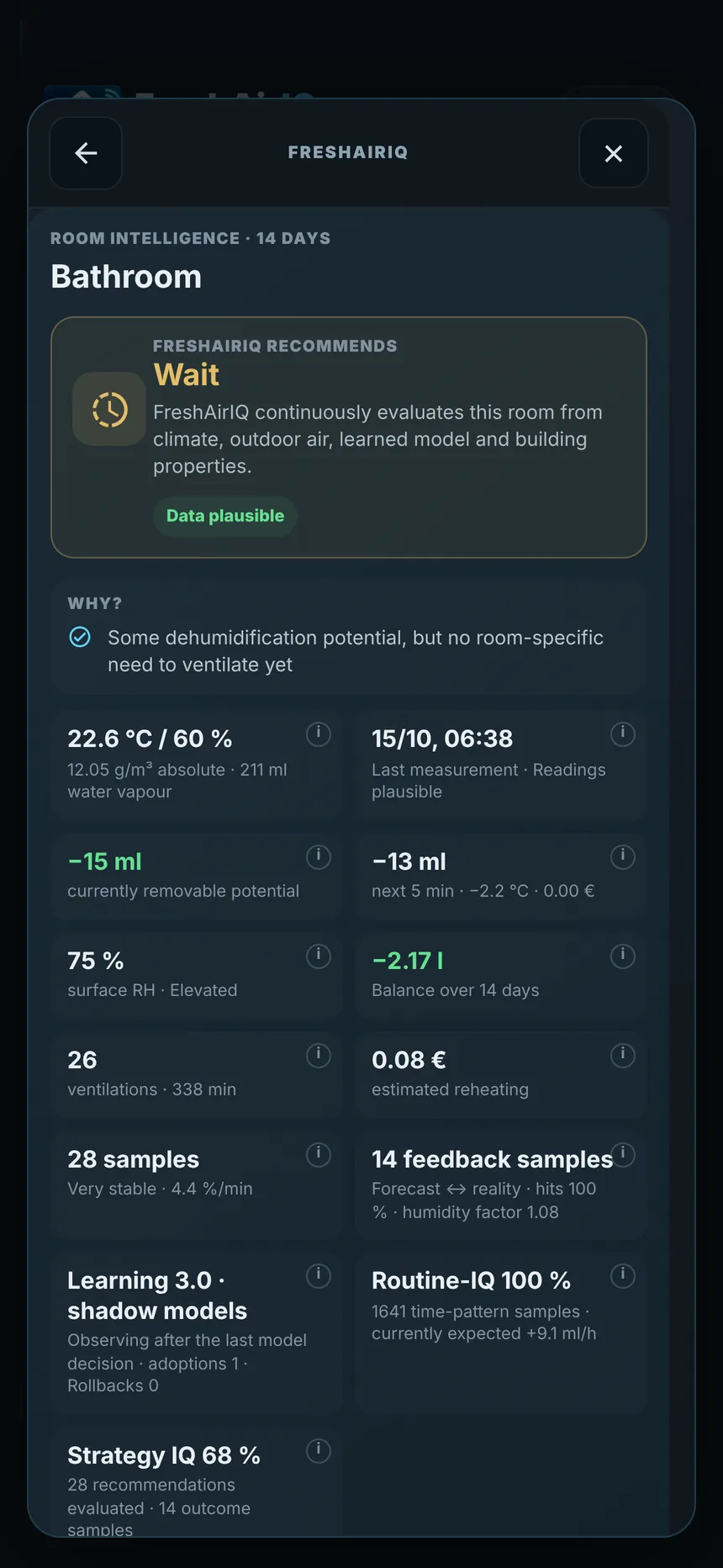
Estimates the surface humidity on cold walls and flags rooms that need attention – an early indicator, not a lab diagnosis.
Airs through the cool night and tells you to close once the outside air is no longer cooler.
NewWindow directions, wind and room pairs for faster air exchange.
Holds back airing when the outdoor air is loaded.
Presence and overnight guests sharpen the night forecast.
Reheating cost for heat pump, gas, oil, district heating or electric heating.
Runs locally in Home Assistant. Diagnostics are only shared with your consent.
Install
In HACS, add the custom repository https://github.com/rupascha/freshairiq as an integration.
Install FreshAirIQ from HACS and restart Home Assistant.
Settings → Devices & services → Add integration → FreshAirIQ. Pick sensors and windows per room.
Requires Home Assistant 2026.8 or newer, a temperature and humidity sensor per room and outdoor values (sensor or weather). Window contacts, CO₂, covers and fans are optional.
No. It tells you when to open and close them. If you enable it, FreshAirIQ can control covers and exhaust fans – never windows.
A temperature and humidity sensor per room plus outdoor temperature and humidity. Window contacts make airing tracking and learning possible; CO₂ sensors add air quality as a goal.
FreshAirIQ is useful from day one thanks to building physics. The learned model gets noticeably better after a few weeks with airings on different days; nights and seasons take longer.
Yes. All calculations run locally in Home Assistant. Sending diagnostics to help improve FreshAirIQ is optional and off unless you agree.
Nothing. FreshAirIQ is free and open source under the MIT licence.
No. FreshAirIQ is an independent community project and not affiliated with Home Assistant or Nabu Casa.
German and English – the dashboard, notifications and settings follow your Home Assistant language.